Take TireMaster and GTX Into the Bay With OMNI
OMNI works with TireMaster and GTX. It adds digital inspections and customer approvals on a phone or tablet, plus barcode inventory for TireMaster, and everything syncs back to the counter.


Built by ASA, trusted by 3,000+ tire and auto dealers since 1989.
OMNI DVI
Digital Inspections Your Customers Trust
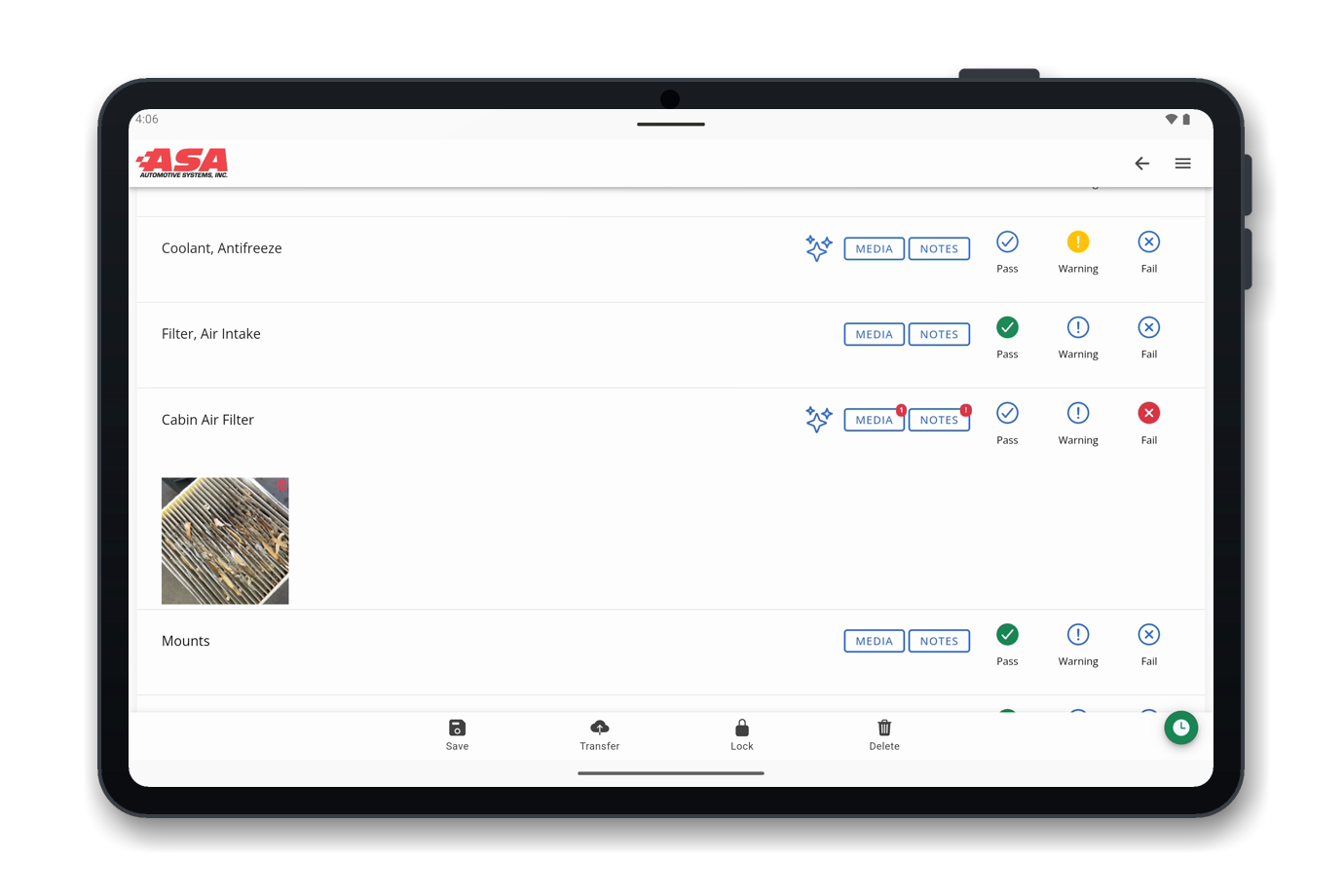
Technicians inspect on a phone or tablet, customers approve from their own phone, and advisors manage it all from the web console. OMNI Check-In, a guided tablet check-in at the counter, is included.
On the Floor
- Photograph the plate or VIN to identify the vehicle.
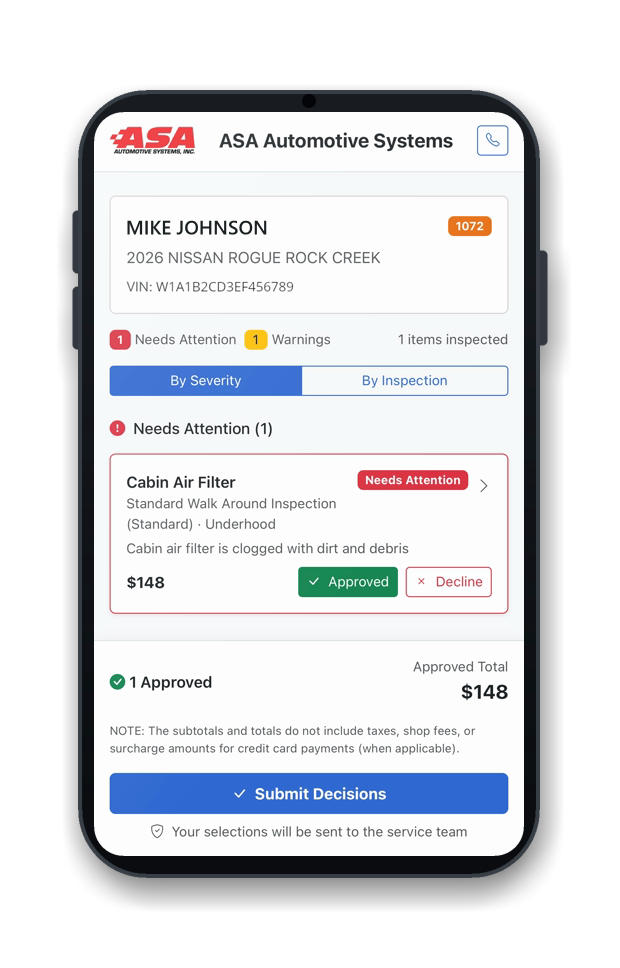
- Rate each item and attach photos and video as proof.
- AI helps write the notes for each finding.
Customer Approvals
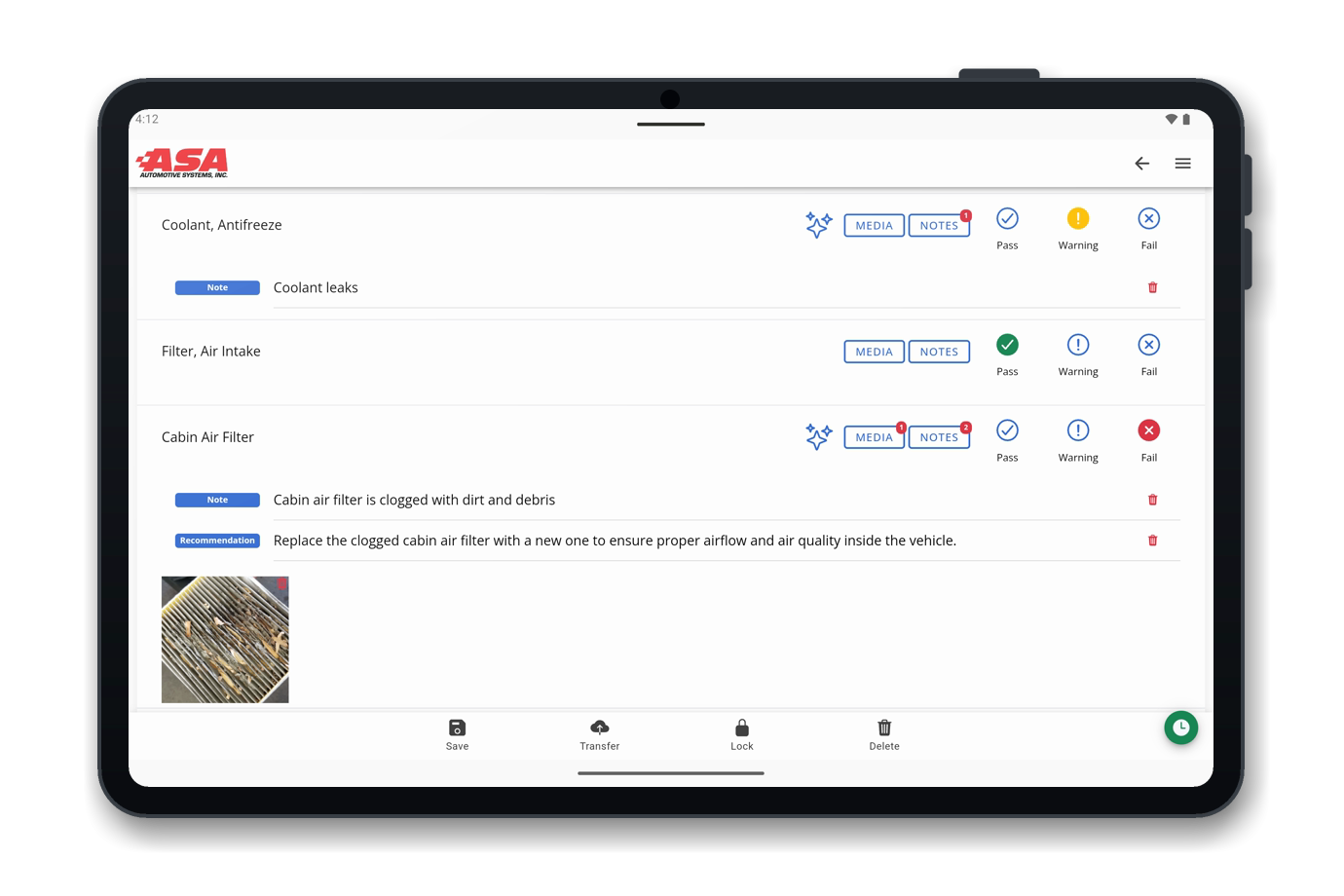
- Sent by text or email, with items grouped by severity.
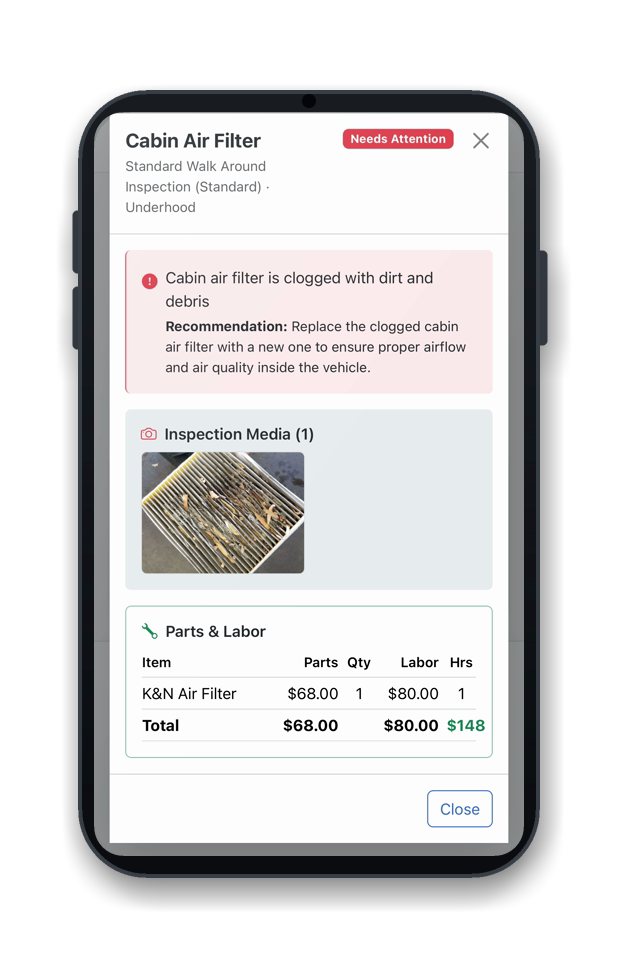
- Photo evidence, parts, and labor on every line.
- The customer approves or declines each item, and approved work flows back to the estimate.
OMNI Inventory
Barcode Inventory Counts You Can Trust
Scan stock with the phone or tablet camera. Results sync to TireMaster and TireMaster Enterprise.
Count, Receive, Transfer
- Count a shelf by scanning, with variance flagged on the exact item.
- Receive deliveries against the purchase order as you unload.
- Scan stock onto transfer work orders as it moves between locations.


Integrations
Works With TireMaster and GTX
OMNI connects to the ASA point of sale you already run, so you don't have to change systems to use it.
FAQ
Frequently Asked Questions
What is OMNI?
OMNI extends your ASA software beyond the counter. It adds digital vehicle inspections, customer approvals, and barcode inventory on phones, tablets, and the web, and syncs them with the ASA point of sale you already run.
What is included in OMNI?
OMNI DVI for photo and video inspections with AI-generated notes, OMNI Check-In, and digital customer approvals; and OMNI Inventory for barcode counts, receiving against purchase orders, and transfer work orders. See OMNI DVI and OMNI Inventory for the details.
What devices does OMNI run on?
Technicians use the OMNI mobile app on a phone or tablet, advisors and managers work in the web app, and customers review and approve work from their own phone.
Does OMNI replace my point-of-sale system?
No. OMNI works alongside the ASA point of sale you already run. OMNI DVI runs inside TireMaster and GTX, and OMNI Inventory syncs counts, receipts, and transfers with TireMaster and TireMaster Enterprise.
Can I start with just one module?
Yes. OMNI DVI and OMNI Inventory each work on their own. Book a demo and we'll walk you through the one that fits your shop first.
See OMNI in Your Shop
Book a 20-minute demo and we'll show you OMNI DVI and OMNI Inventory on your own workflow.
- A 20-minute walkthrough on your workflow
- See inspections, approvals, and inventory live
- No obligation and nothing to install
- Or visit us at SEMA, Booth #43059, Nov 3-6