Digital Inspections Your Customers Trust
OMNI's AI-powered DVI writes the notes, surfaces the upsells, and sends customers visual proof in seconds.
OMNI DVI is ASA's digital vehicle inspection software for tire and auto shops: technicians inspect on a phone or tablet, advisors configure and manage on the web, and customers approve work from a photo report.
Built by ASA, trusted by 3,000+ tire and auto dealers since 1989. OMNI runs inside the TireMaster and GTX platforms you already know.
- 3,000+ Dealers
- 30,000+ Daily users
- Since 1989 Serving tire and auto
Why Shops Switch to OMNI
-
Photo & VIN Lookup
Snap the plate or VIN to pull up the vehicle instantly. No manual entry.
-
AI Does the Writing
Knowledge hints explain each issue, draft the notes, and surface the upsells for you.
-
Build Your Own Inspections
Drag-and-drop template builder: traffic-light, measurements, photos, and checkboxes. Your standard, your way.
-
Customers Approve in a Tap
Customers review photos and pricing and approve work line by line, from their phone.
One Inspection Engine. Three Surfaces.
DVI runs on the technician's phone, the advisor's web console, and the customer's screen. One connected workflow.
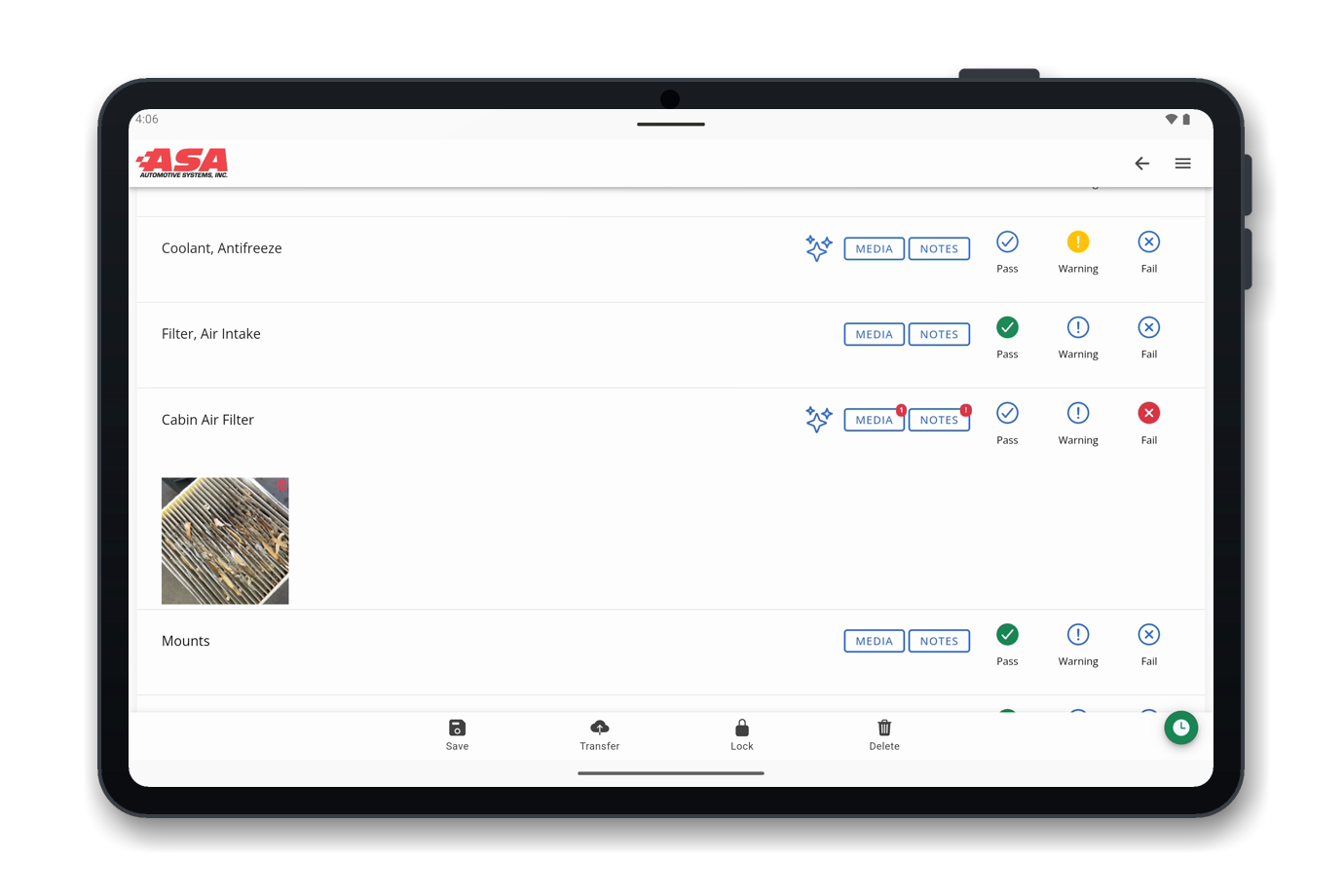
On the Floor
- Photograph the plate or VIN to identify the vehicle.
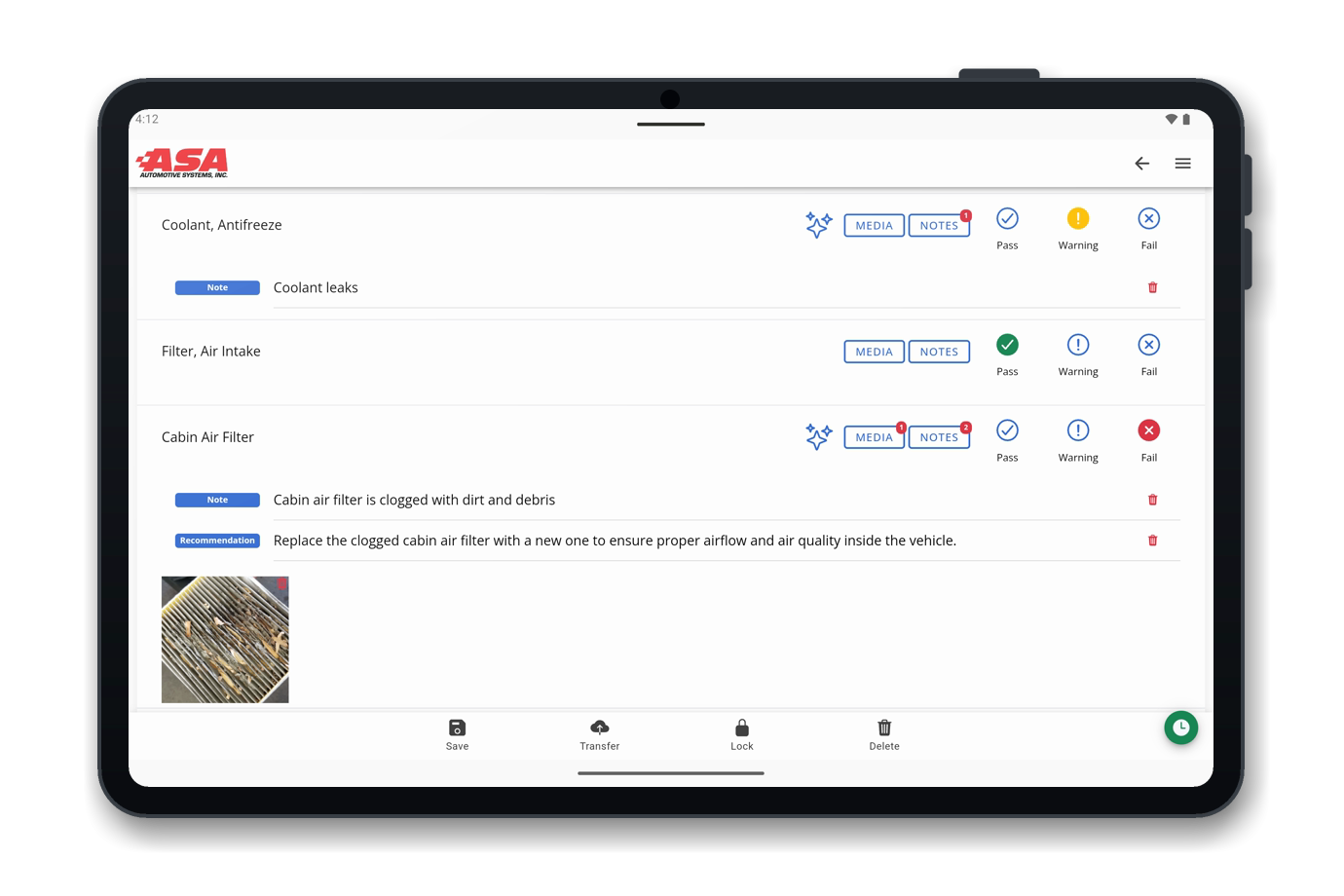
- Capture results with traffic-light, measurement, checkbox, text and date items.
- Attach photos and video as proof.
- AI knowledge hints explain fails and warnings.
- Hand the inspection off to another technician or straight to the estimate.



Behind the Counter
- Drag-and-drop template builder with sections and five item types.
- Managed note-and-recommendation catalog.
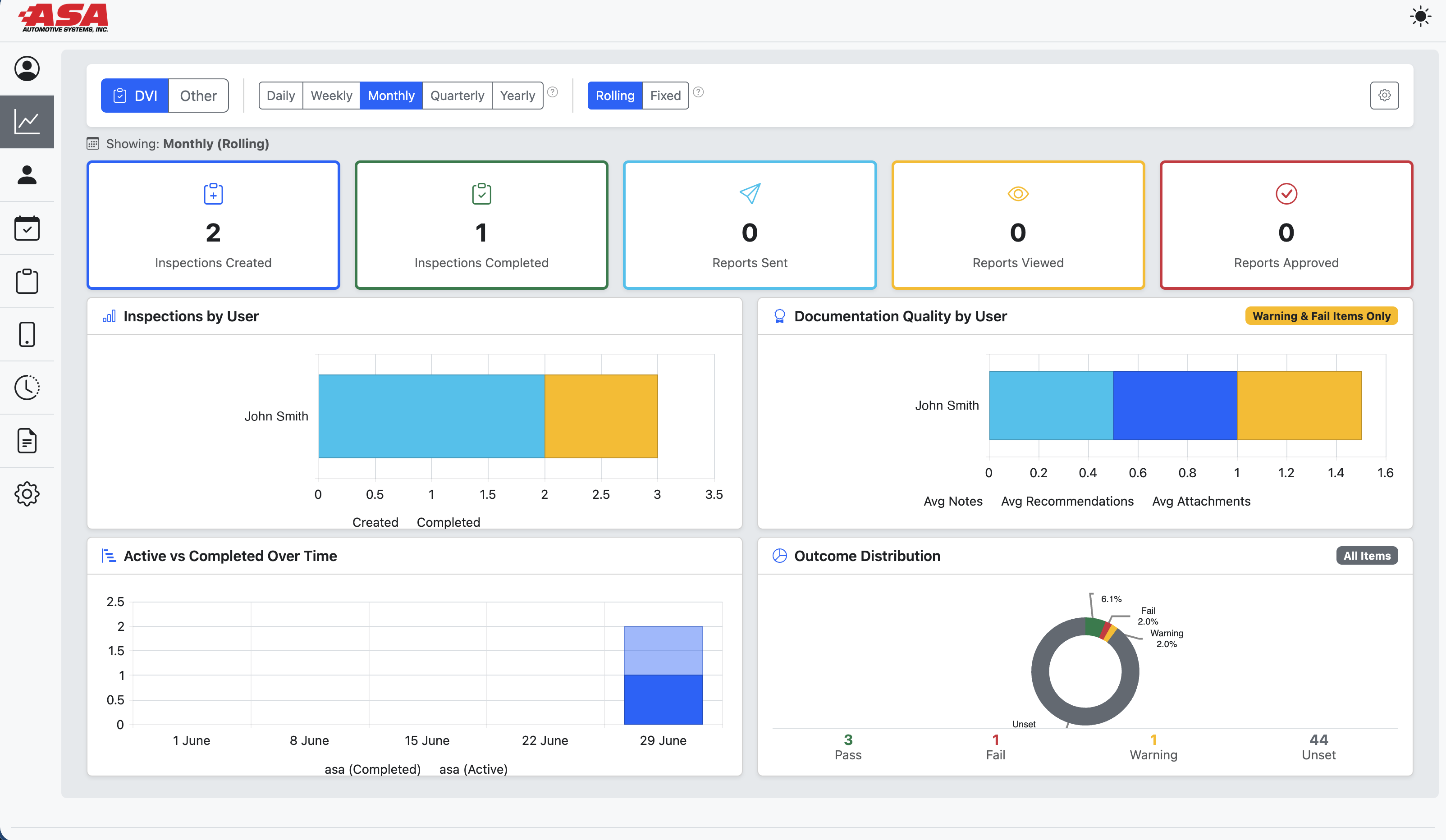
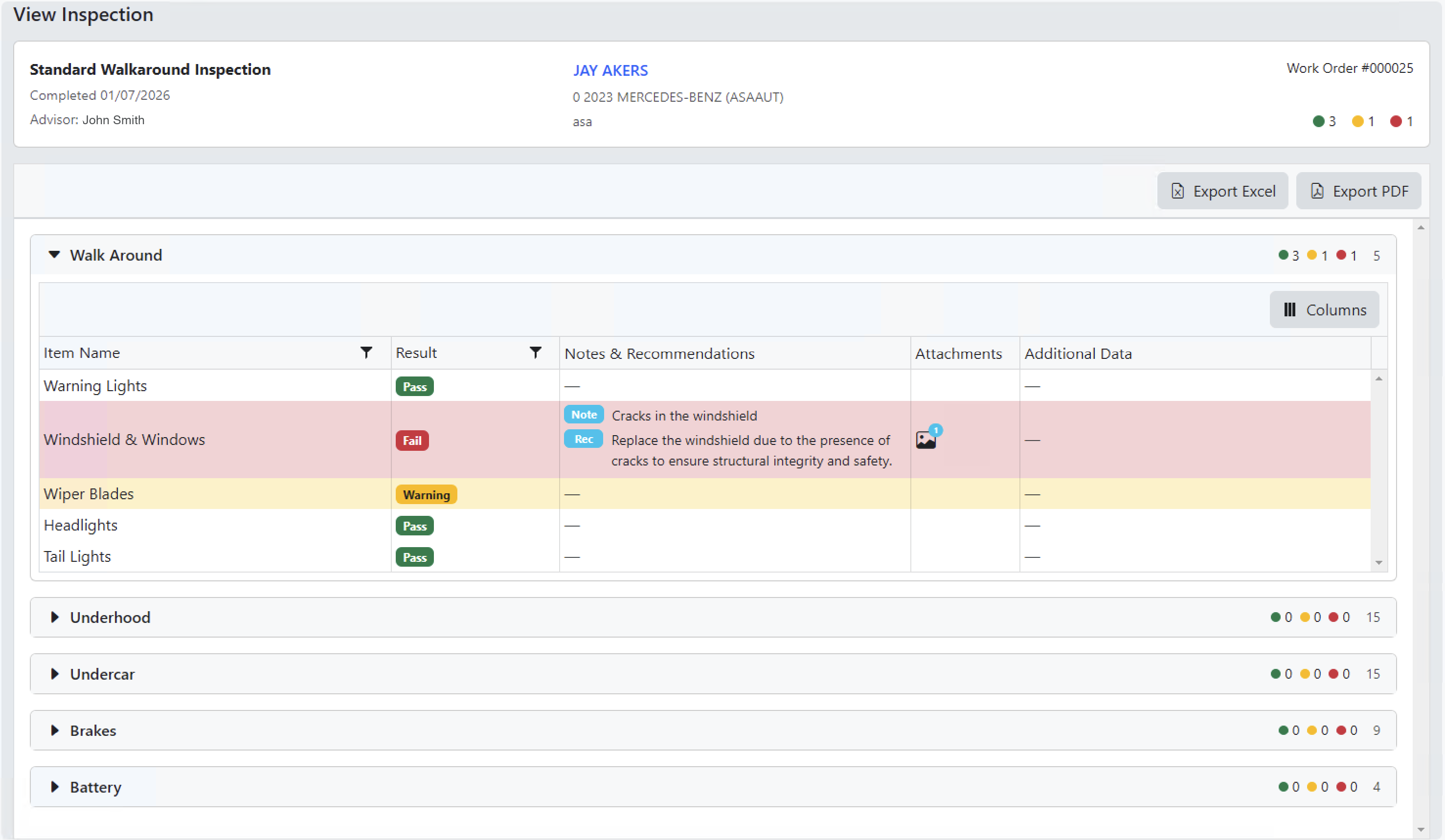
- Advisor inspection lists with multi-field search and Pass/Warning/Fail roll-ups.
- Export to Excel and PDF for records or reporting.
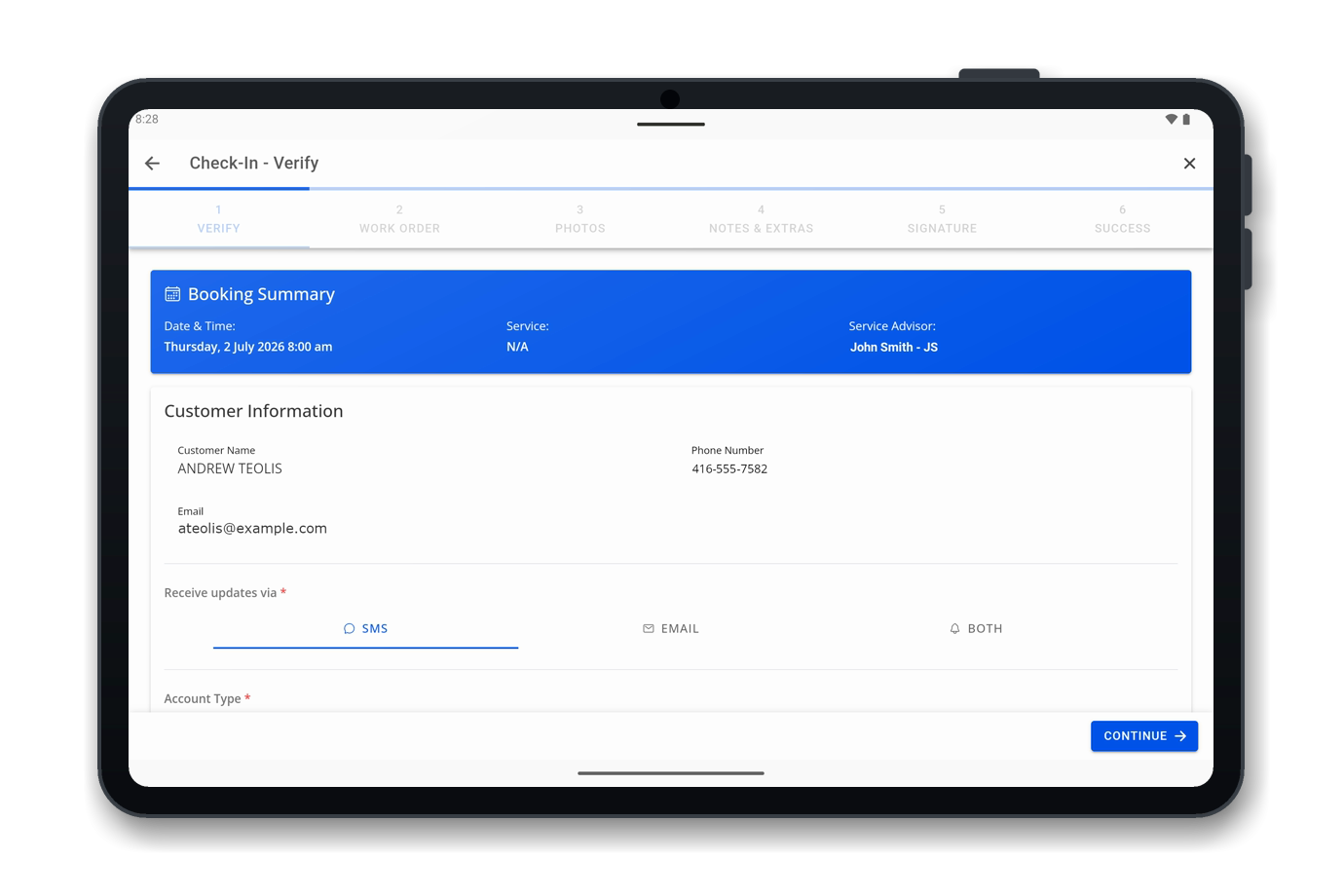
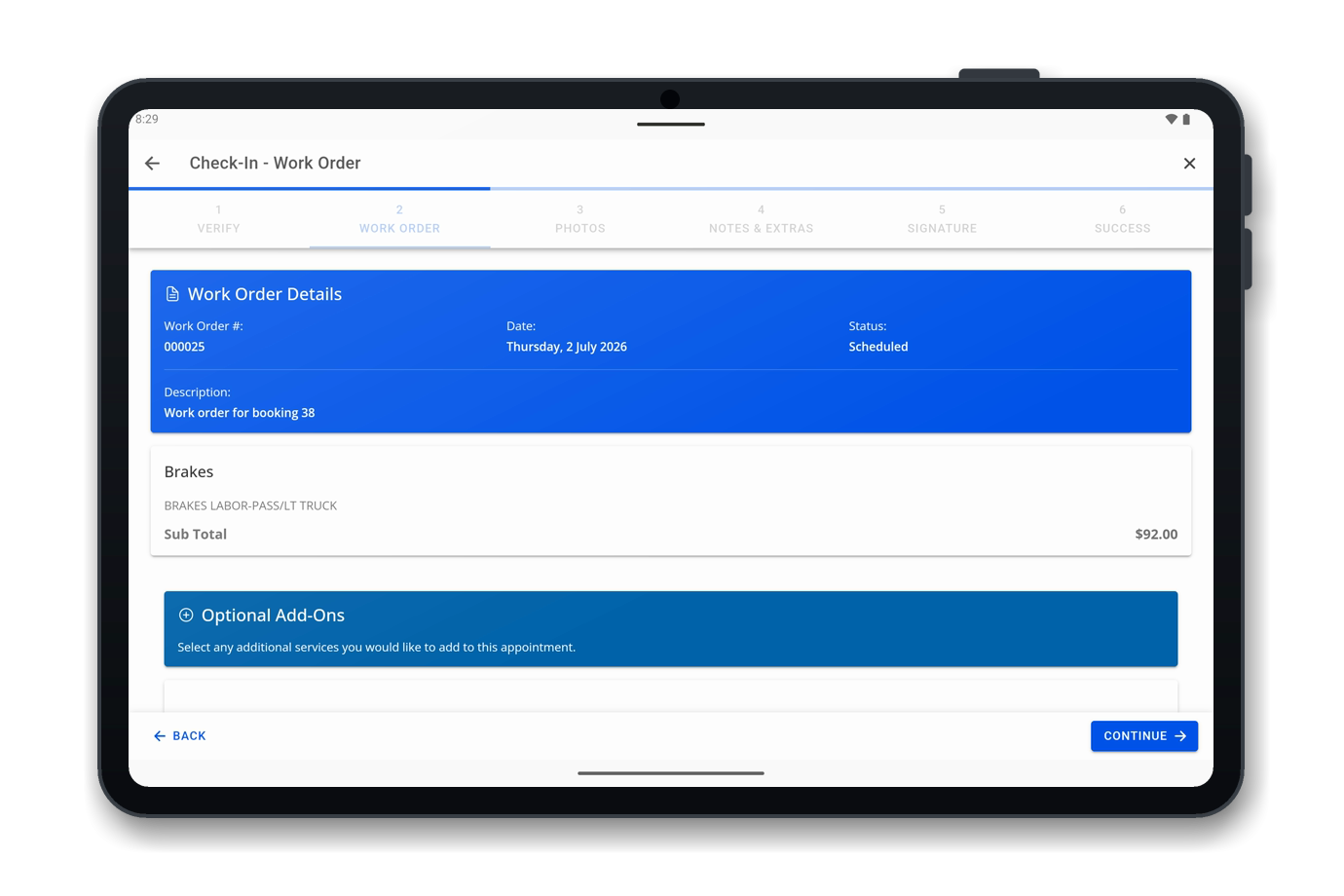
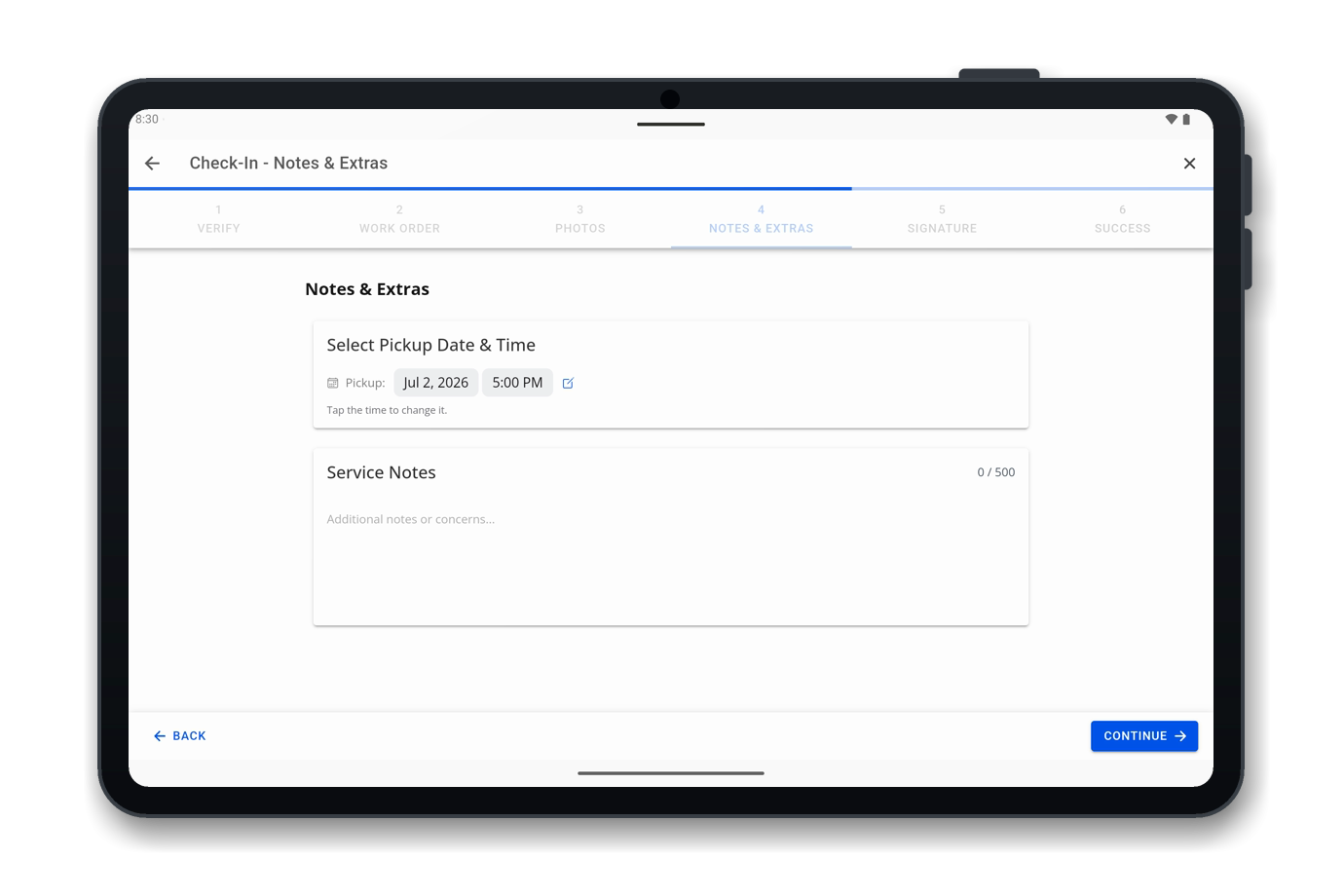
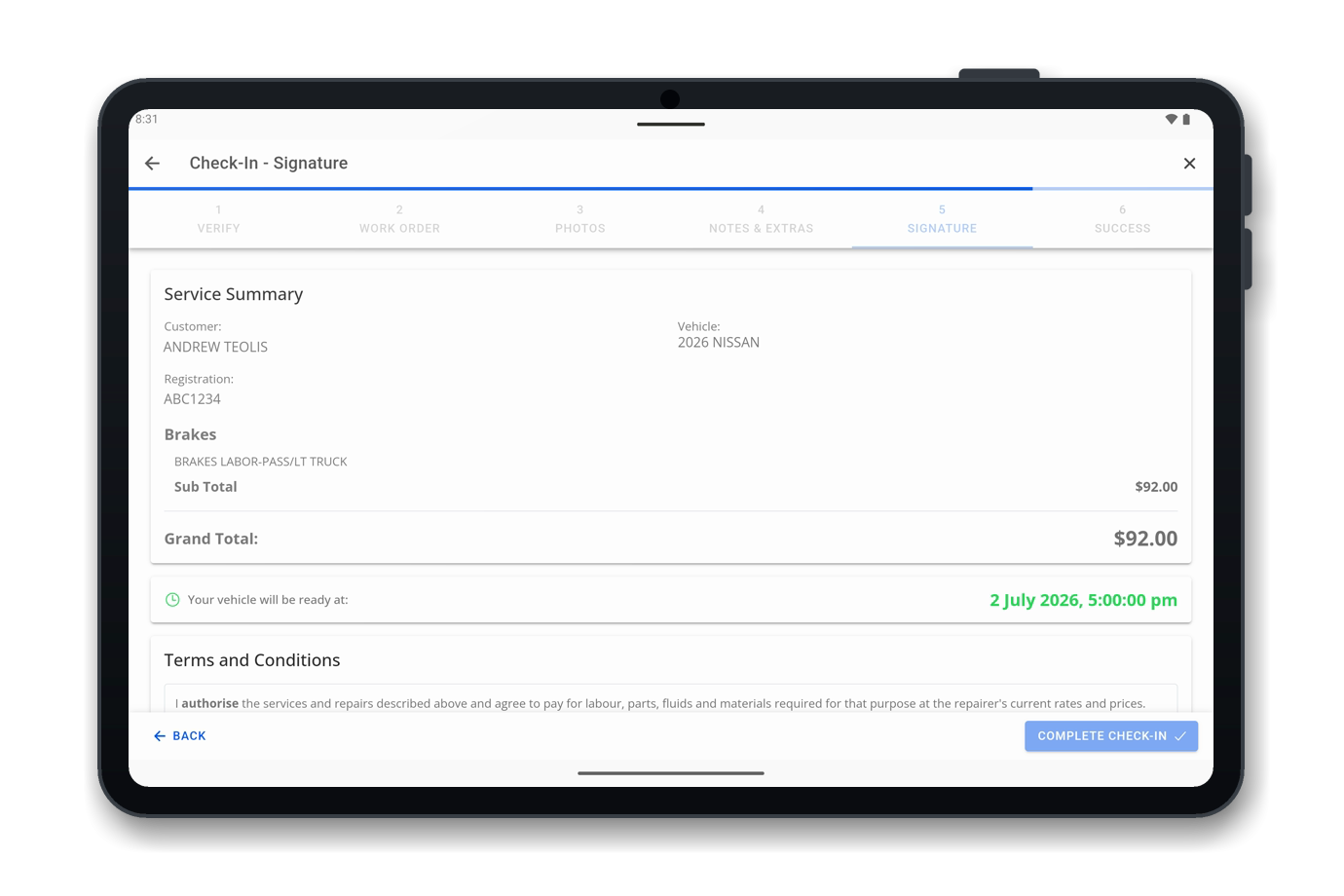
OMNI Check-In
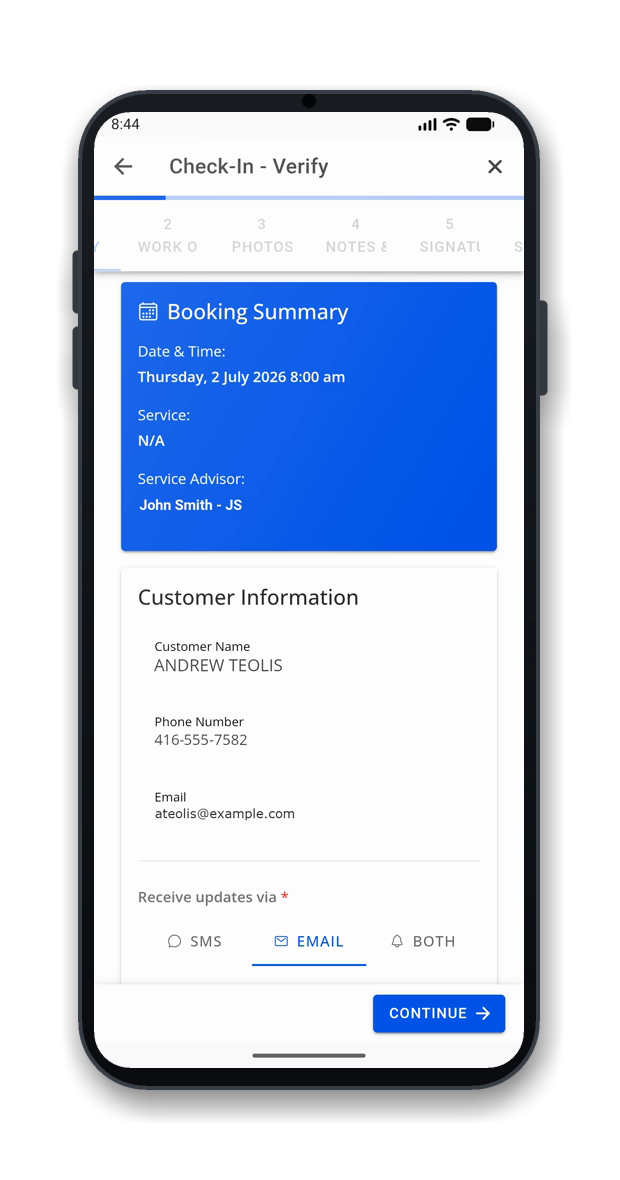
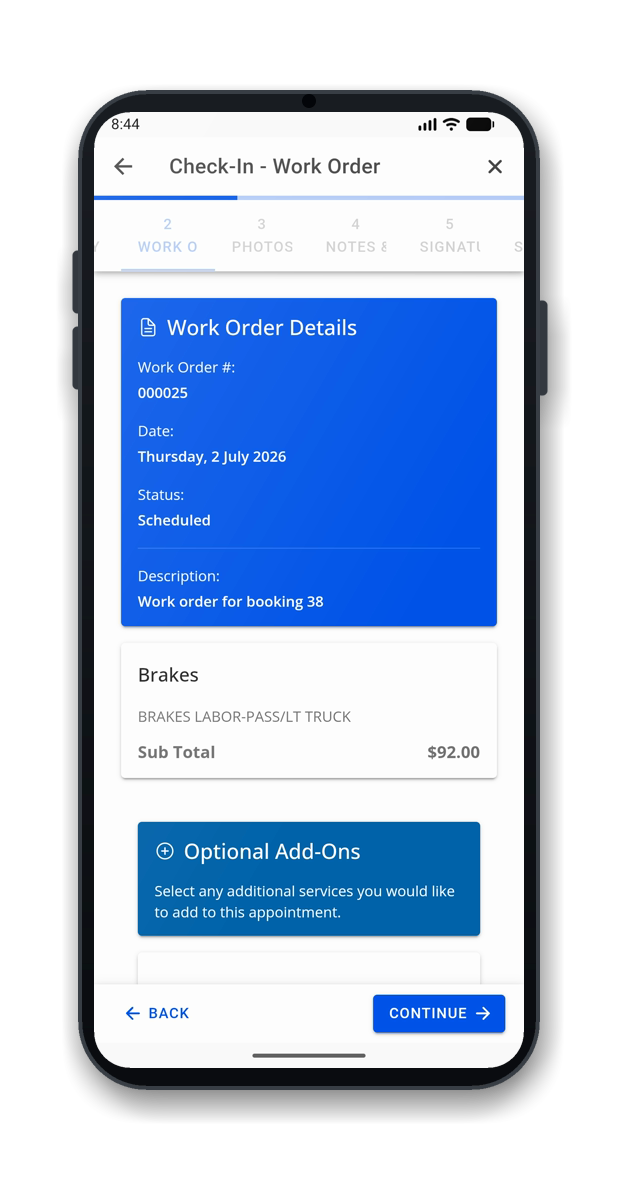
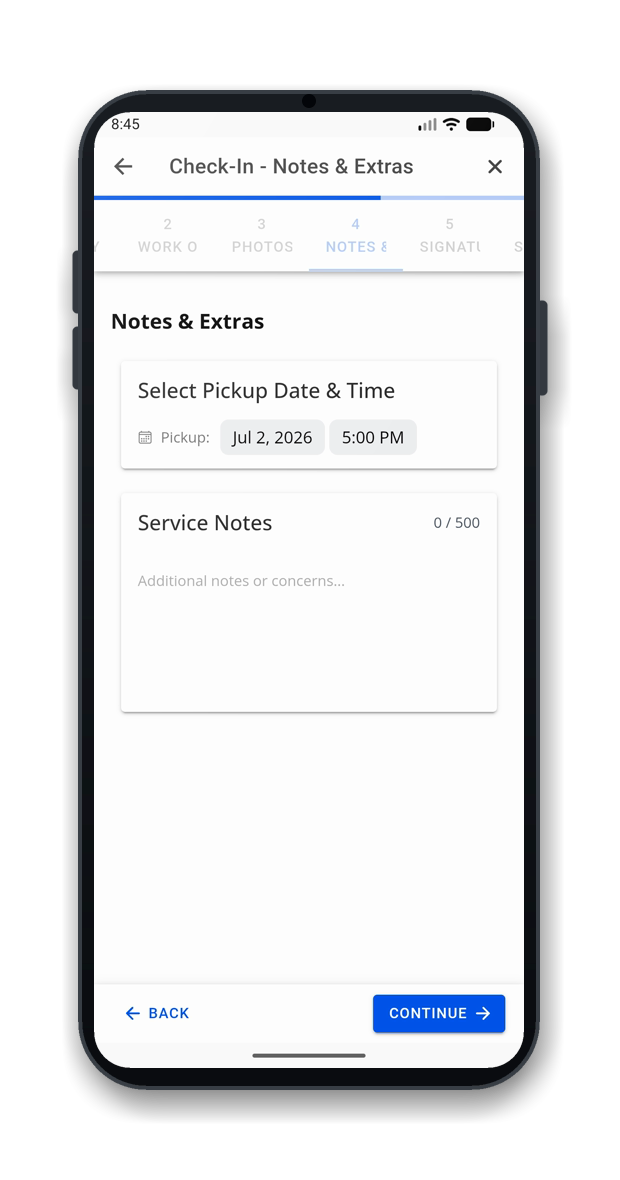
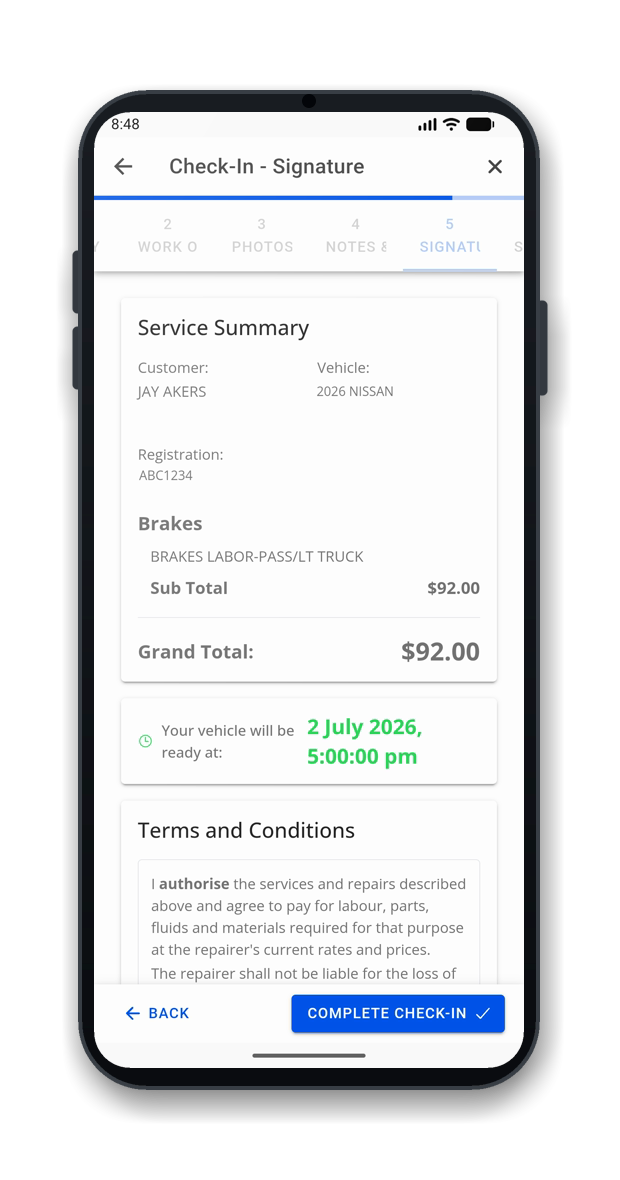
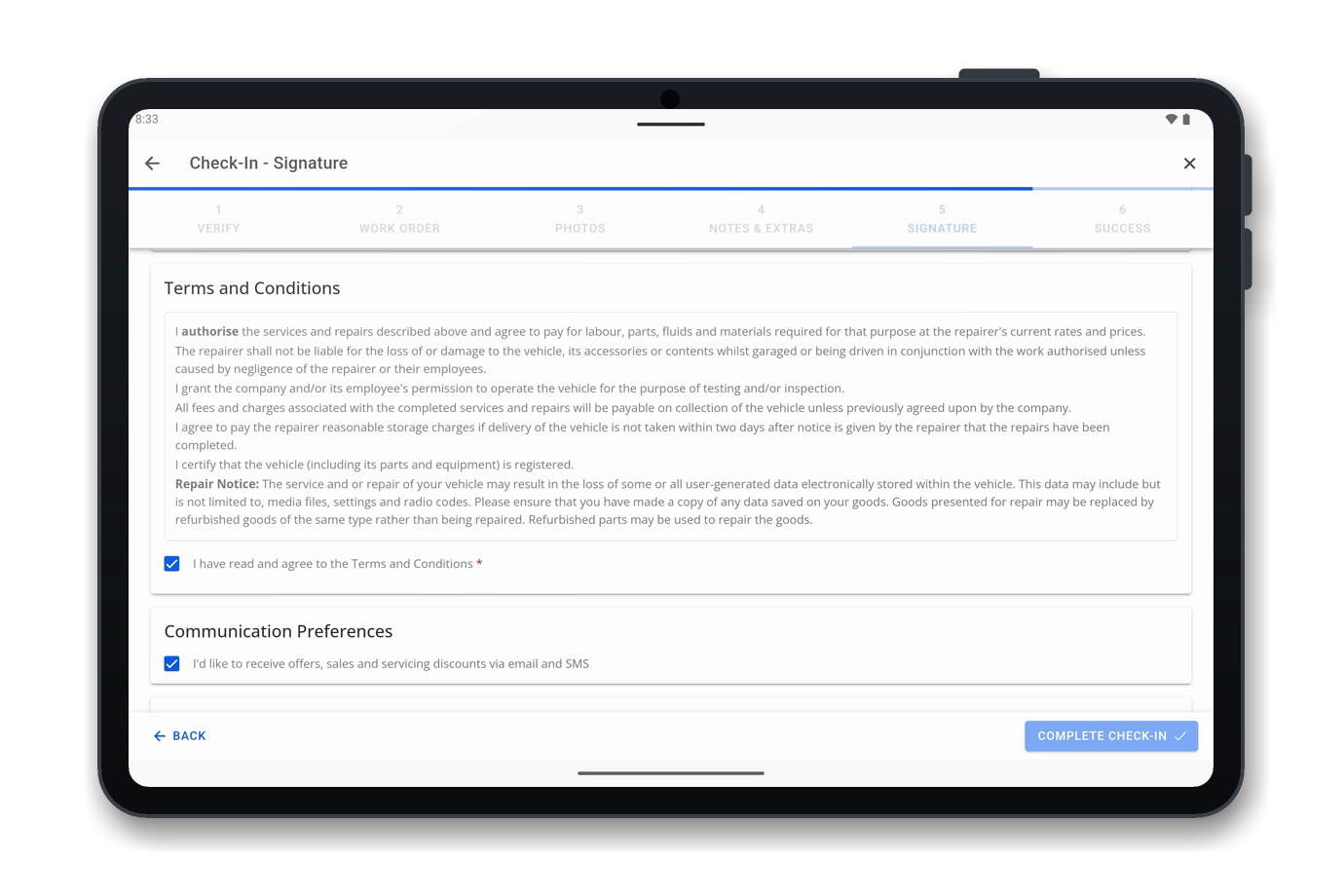
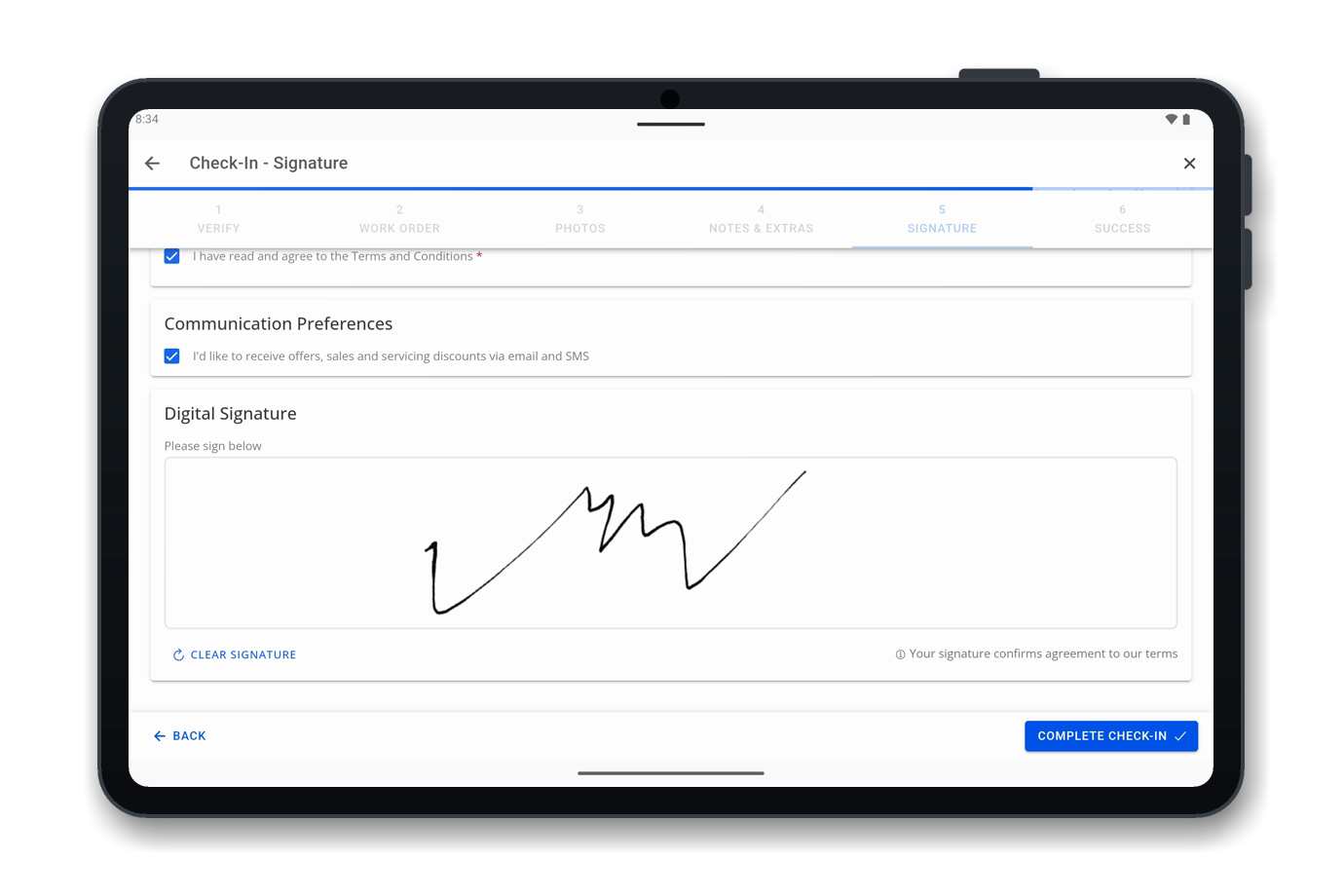
A guided check-in your advisors run on a tablet, with the customer right there. It embeds the same DVI inspection engine.
-
Verify Details
confirm customer, contact preference, account type.
-
Review Service
work order plus optional add-on upsells the customer can approve.
-
Inspect
run the embedded DVI inspection (photos, measurements, notes).
-
Pickup & Notes
set pickup time and add service notes.
-
Terms & Signature
review terms and capture a digital signature on the tablet.
-
Done
appointment moves to Checked In; the customer is updated by text or email.
Live Appointment Locking
Two advisors never collide: OMNI locks the appointment while it's being worked.
Visual Proof Your Customers Can Act On
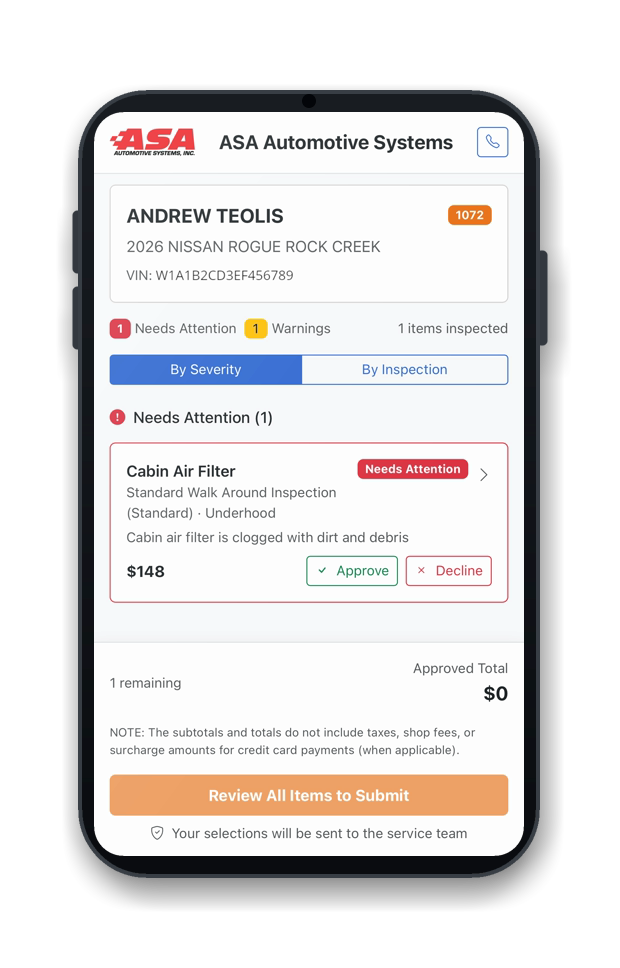
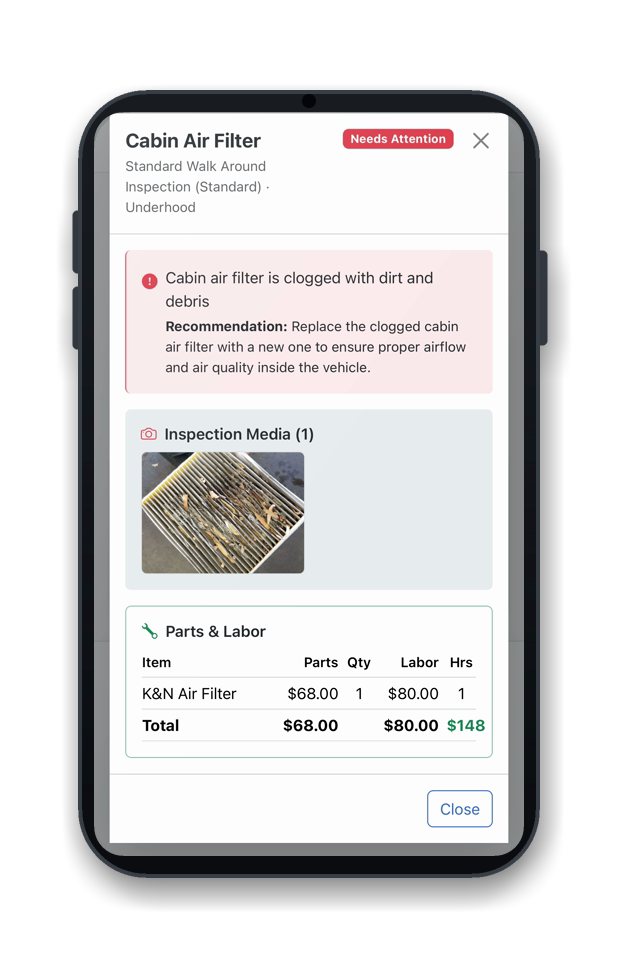
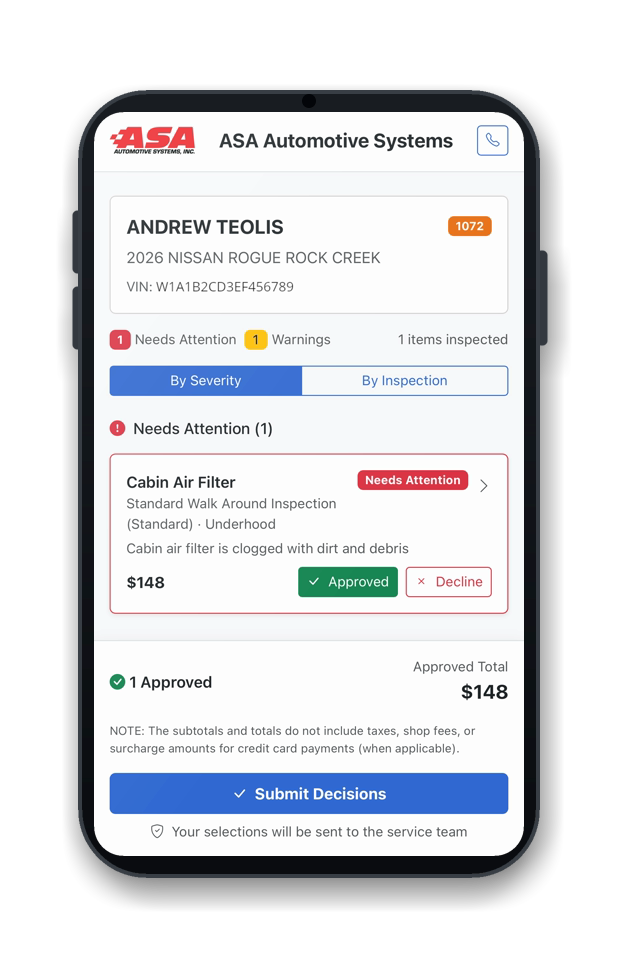
Every inspection rolls up into one customer report. Items are grouped by severity, each with photos, video, and clear pricing. Customers approve or decline the work line by line, from their phone.
- Severity grouping: Needs Attention / Monitor / Good / Not Inspected
- Parts, labor and total per line
- Photo and video evidence
- Approve or decline per item with an approved-cost total
- Sent by text or email
- Approved work flows back to the estimate
OMNI DVI: Frequently Asked Questions
What is OMNI DVI?
OMNI DVI is ASA's native, cloud-based digital vehicle inspection software. It replaces paper forms with a photo-and-video workflow: technicians inspect on a tablet, the service writer builds the estimate in your ASA POS, and the customer approves work from a branded report on their phone. It's a companion to your POS, not a replacement.
What is OMNI Check-In?
OMNI Check-In is ASA's tablet-based check-in wizard an advisor runs with the customer at drop-off. In a few guided steps it confirms customer details, reviews the work order with optional add-ons, runs an OMNI DVI inspection, sets the pickup time, and captures a digital signature.
How does a digital vehicle inspection work?
The advisor looks up the customer or scans the plate to populate the record and assigns a template. The technician inspects on a tablet, marking each item pass, warning, or fail with notes, photos, and video. It transfers to the POS for parts and labor, then the customer approves or declines each item from a report sent by text or email.
Will my team have to enter data twice?
No. Because ASA builds OMNI DVI, inspections, quotes, customer records, and approvals sync automatically with your ASA POS. That's the key difference from third-party tools, where data must be re-keyed between systems that don't talk to each other.
Can I customize inspection templates?
Yes. OMNI DVI ships with industry-standard templates you can fully customize: an oil-change check, a multi-point inspection, a fleet checklist, a state inspection. Line items can be traffic-light, numeric measurements with pass/fail thresholds, yes/no, date, or free text, and you can require photos on specific items. You can also rename the pass, warn, and fail labels to your own terminology and clone templates to spin up variations quickly.
Can technicians add photos and videos to inspections?
Yes. Technicians capture photos and video right on the tablet as they inspect, and can annotate images to highlight the exact problem area. That visual evidence attaches to each finding and flows into the customer report, so the customer sees the worn part or the leak for themselves.
Does OMNI DVI use AI?
Yes, in two ways. As the technician types, AI suggestions help write professional inspection notes faster. For the customer, AI Knowledge Tips explain each issue in plain language, covering what the part does and why it matters, so the recommendation is easy to understand.
Can customers approve or decline work from their phone?
Yes. Customers receive a branded report by text or email showing color-coded results, photos, video, and quoted costs, and approve or decline each item from their phone. Approved items flow straight back into the POS, so your advisor spends less time chasing callbacks.
How does digital vehicle inspection increase service revenue?
By turning recommended work into something customers can see and understand, which raises approval rates. A photo of a worn brake pad or a video of a leaking fluid is far more persuasive than a line item read over the phone. DVI also surfaces needed work consistently on every vehicle and tracks declined services for recovery on the next visit, so shops consistently report higher average repair order value.
What happens when a customer declines a service?
OMNI tracks it against the vehicle record in your POS, so it's never lost. On the next visit, the advisor sees the previous recommendation and can follow up, turning missed work into a built-in follow-up list with no paper files to dig through.
How does DVI protect my shop from liability?
DVI creates a documented record of each vehicle's condition when it entered your bay. Timestamped photos, video, and notes prove pre-existing damage, protecting you from disputes such as a claim that your shop caused a scratch or dent that was already there.
What devices can my team and customers use for OMNI DVI?
OMNI runs on any modern web browser, on iOS through the App Store, and on Android through Google Play. Technicians use tablets in the bay, service writers use the web on their desktop, and customers view reports on their own phones. Everything syncs to the same place, so the workflow stays connected across devices.
What makes OMNI DVI different from other inspection tools?
Native integration. OMNI is built by ASA and syncs two ways with your ASA POS, so inspections, quotes, approvals, and declined services move automatically, while many tools require manual re-entry. The service writer builds the quote in the POS and sends one interactive link, it tracks declined services for follow-up, and it uses AI for both technician notes and customer explanations. Because ASA's in-house team builds it, OMNI is one platform that grows into inventory, time clock, and more, not a single-purpose tool.
See OMNI DVI in Your Shop
Book a 20-minute demo and we'll show you DVI, Check-In, and the customer report on your workflow.
- A 20-minute walkthrough on your workflow
- See DVI, Check-In, and the customer report
- No obligation and nothing to install